
Free Chrome extension · now on the Chrome Web Store
See what your tracking actually sends.
Coast Tag Inspector shows the server-side layer on any page, logs every hit to an ad platform, and flags health data leaving the browser, including through Google Maps, YouTube embeds and chat widgets. It reads Curve, Ours Privacy, Freshpaint, Blotout and server-side GTM setups.
Version 0.2.1 on the Chrome Web Store. Pin the icon, reload the site you want to check, then click it.
You’re on the list. We email you when the next check ships.
What it checks
Four answers for any page, in the time it takes to reload it.
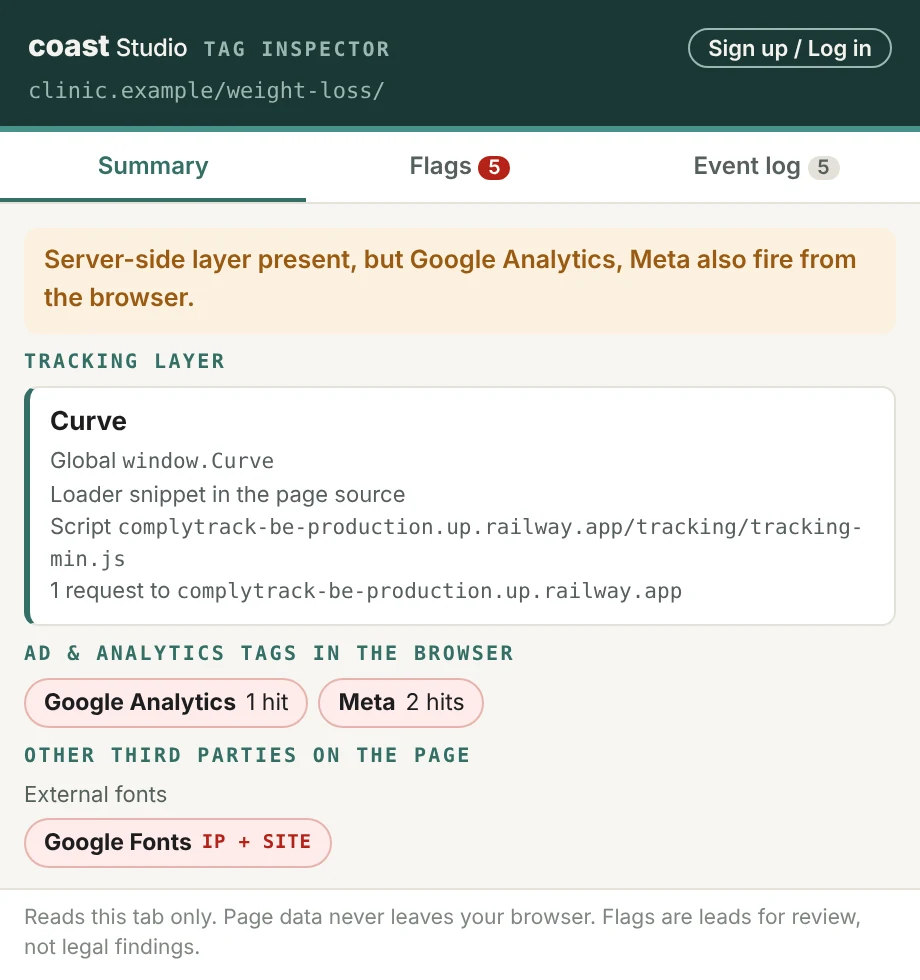
Which tracking layer runs here?
The inspector names the first-party or server-side layer and shows its evidence: the global, the loader snippet, the script and the requests it sends. It recognizes Curve, Ours Privacy, Freshpaint, Blotout EdgeTag, RudderStack, Stape and server-side GTM, plus collectors on the brand's own subdomain.
A one-line verdict follows. It tells you whether the layer runs alone or whether ad and analytics tags still fire from the browser beside it.
Is health data leaving the browser?
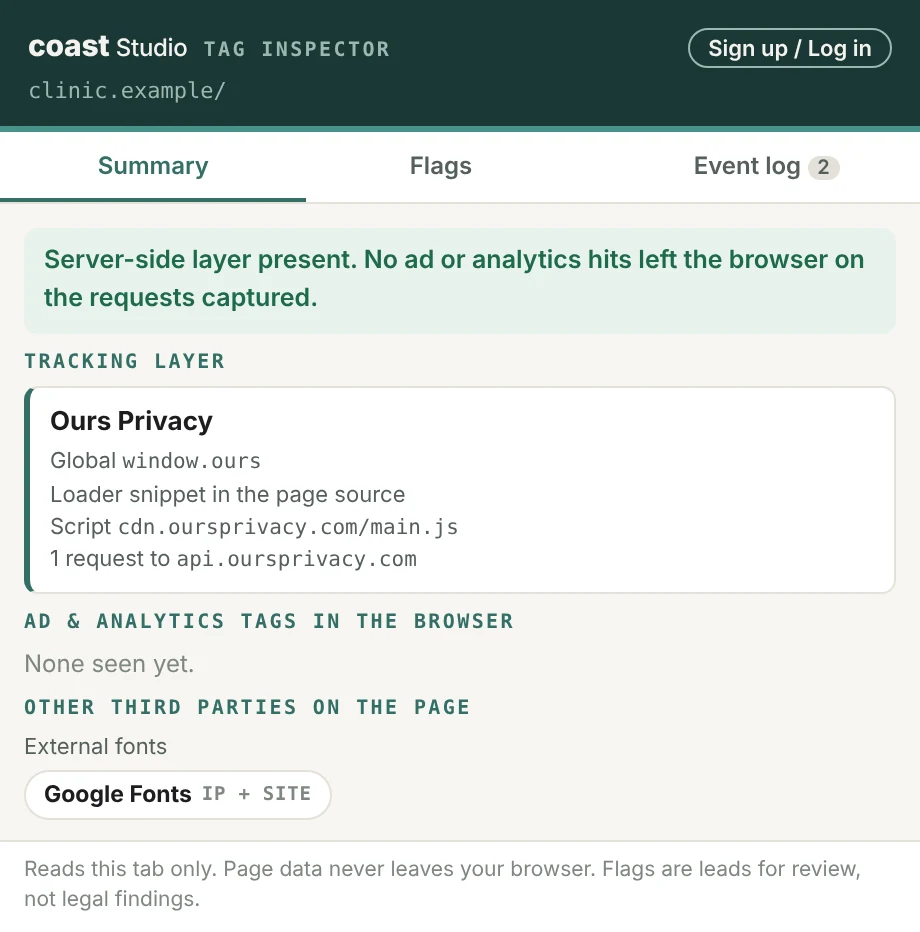
Every hit to an ad or analytics platform is checked for condition and treatment terms in the page URL, event name and parameters, for plain-text emails and phone numbers, for personal fields in URLs, and for hashed identifiers sent from a condition page.
The layer's own requests are left unflagged, because the layer is meant to receive raw data and strip it before forwarding.
What exactly did each tag send?
The event log lists every request to the layer and to Meta, Google Analytics, Google Ads, TikTok, Microsoft Ads, Reddit, Pinterest, Snapchat, LinkedIn, X, Criteo, Quora and Nextdoor. Each row shows the event name and status, and opens to the full payload with the flagged fields highlighted.
![Event log with a Meta Lead request expanded to its full payload; the dl page URL and the ud[em] hashed email fields are highlighted, with Meta PageView and Google Analytics page_view rows below.](/tag-inspector/screens/log.webp)
Which other tools see the visit?
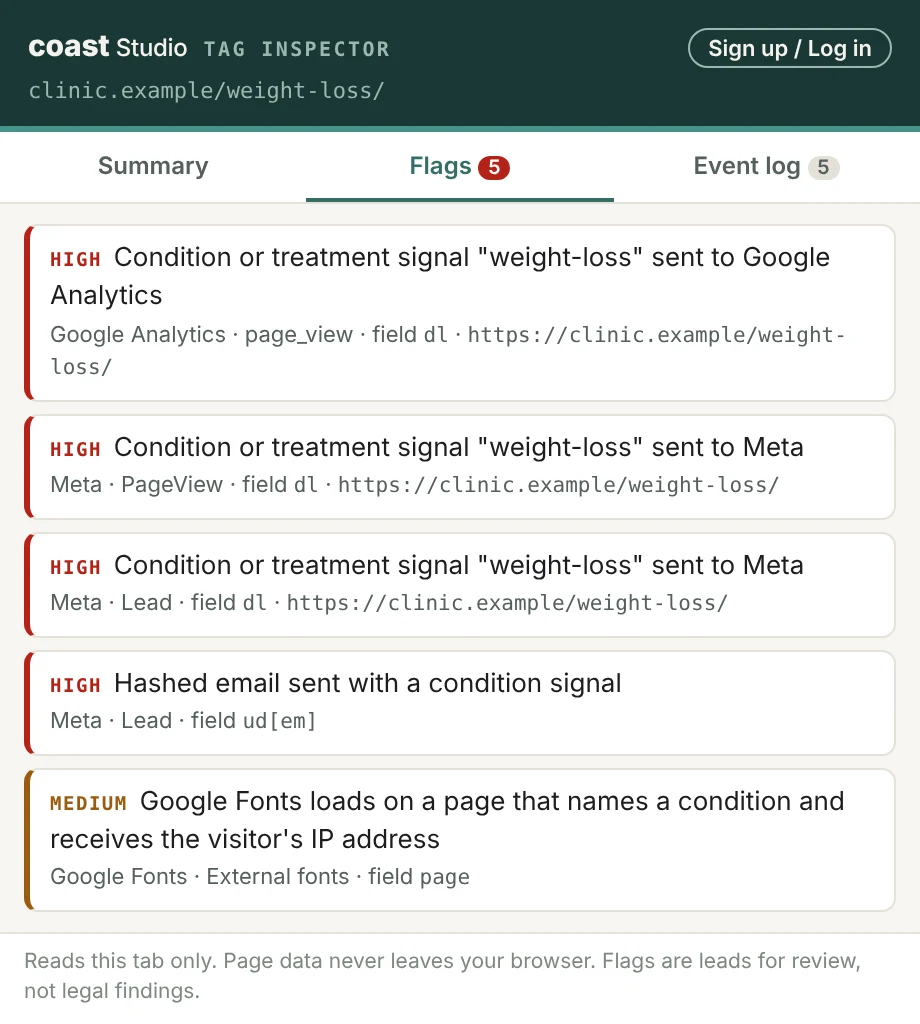
Ad pixels are only half the exposure. Ordinary site tools open their own connection to a third party, and each one receives the visitor’s IP address. Some also receive the full page URL, through the Referer header when the site’s referrer policy allows it or through the tool’s own parameters. On a page that names a condition, either one can be health data.
The inspector lists every one it finds, in four groups: maps (Google Maps, Mapbox), video embeds (YouTube, Vimeo, Wistia, Loom), external fonts (Google Fonts, Adobe Fonts, Font Awesome), and chat, form and scheduling widgets (Intercom, HubSpot, Calendly, Typeform, Jotform and more). Each tool is marked by what it receives, the full page URL or just the IP and site, and flagged when the page names a condition.
Why it matters now
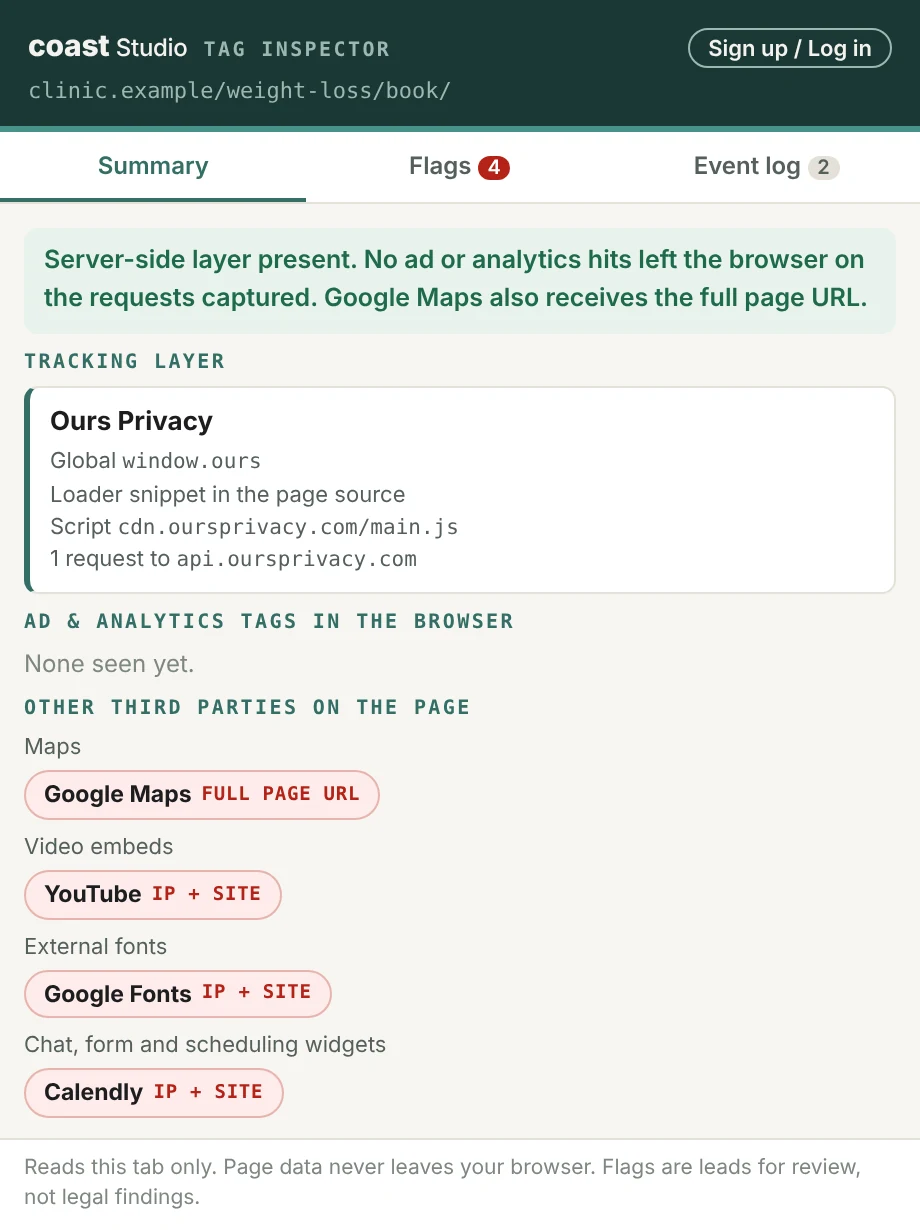
A server-side layer protects you only when the browser stops sending the same data.
The FTC's complaint against Hims & Hers, filed in 2026, alleges that condition data reached ad platforms through both the browser pixel and the Conversions API. Many health brands now run Curve, Ours Privacy or Freshpaint and still load a Meta Pixel from an older setup, a plugin or a tag manager.
Tag Inspector makes that overlap visible on the page itself, so a marketer, a developer or an auditor can see it in one click. The allegations in the case are unproven, and a flag is a lead for review.
Your data
Everything runs in your browser.
The extension reads the requests of the tab you are on and keeps its log in the browser's session storage, which clears when the tab closes. It sends nothing to Coast Studio or anyone else, and it has no analytics of its own.
- webRequest observes requests to classify them. It cannot block or change them.
- webNavigation and tabs reset the log when you move to a new page.
- scripting reads the page's tracking globals and script tags when you open the popup.
- storage keeps the log while the tab is open.
Limits
What a browser extension can and cannot see.
Server-to-server traffic never touches the browser, so the Conversions API and other server-side forwarding stay out of view. Checking what the layer forwards means reviewing its configuration in the vendor dashboard.
The log starts when the page loads, so reload before you read it. Detection covers the vendors named above and grows with each release.
Need the full path audited, browser and server? Coast Studio does that for health, fintech and edtech brands.
Audit a page in thirty seconds.
You’re on the list. We email you when the next check ships.